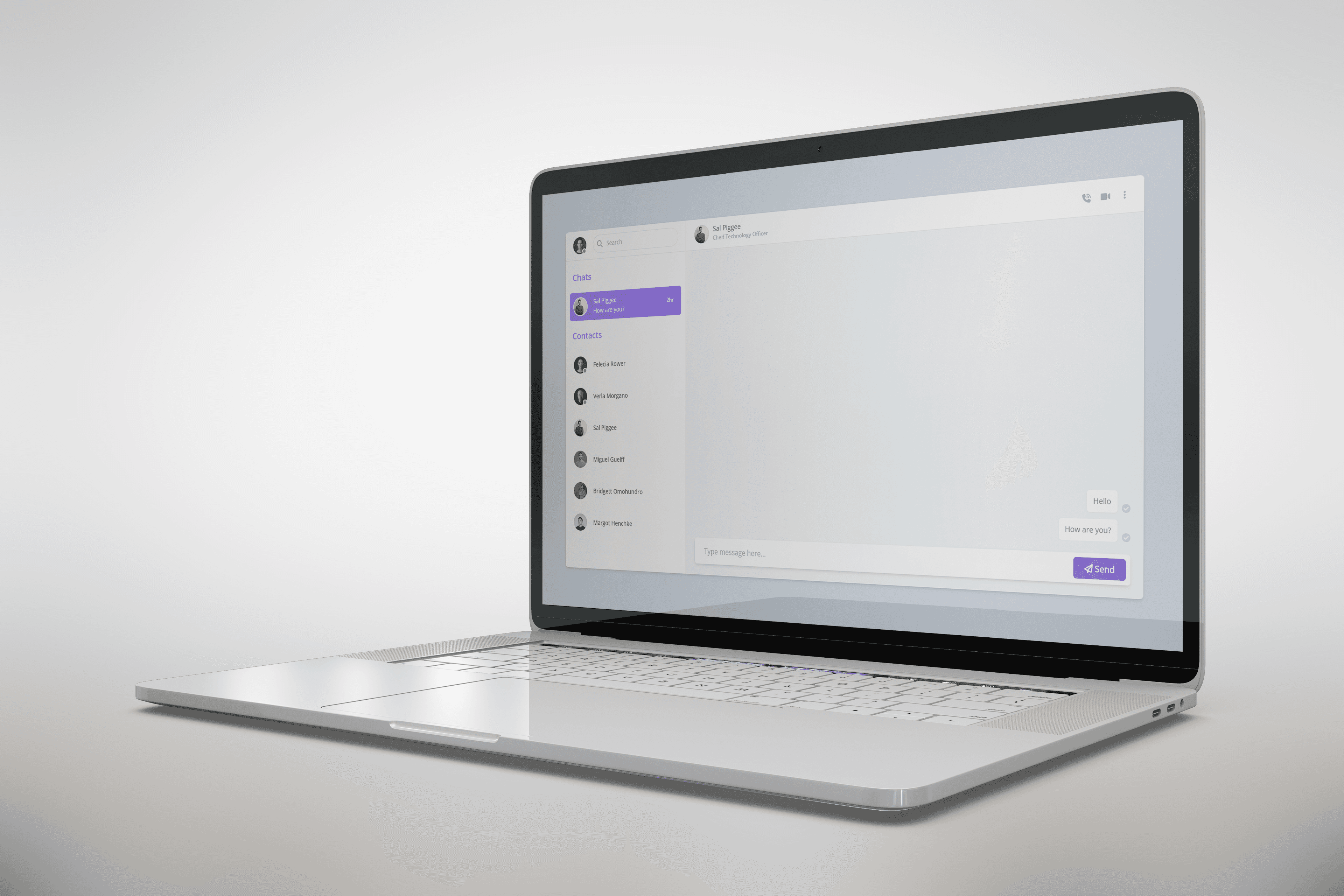
Chat Application - Only Frontend
Chat Application (Frontend Only) is a modern, responsive web application built using React, TypeScript, Redux Toolkit, and Tailwind CSS. The app focuses on providing a real-time messaging experience through an intuitive and interactive user interface.
Project Overview
The primary goal of this project was to design a fully functional frontend for a chat application. While backend integration is not included, the frontend is structured to support real-time messaging, user interactions, and dynamic UI updates, making it ready for future integration with APIs or WebSocket services.
Frontend Development with React & TypeScript
React and TypeScript were used to build a scalable and maintainable application:
- React Components: Built reusable components for chat messages, user lists, and chat input.
- Type Safety: Used TypeScript to enforce type safety, reduce runtime errors, and improve code quality.
- Dynamic UI: Implemented a real-time feel with component state updates and conditional rendering.
State Management with Redux Toolkit
Redux Toolkit provides a centralized state management solution, making the app responsive and consistent:
- Global State: Managed chat messages, online users, and notifications across components.
- Slices & Actions: Organized state logic using Redux slices and actions for clarity and maintainability.
- Scalable Architecture: Structured the store to easily integrate with backend APIs or WebSocket services in the future.
Styling with Tailwind CSS
Tailwind CSS was used to create a clean and modern interface:
- Responsive chat layout compatible with desktop and mobile devices.
- Consistent design system with reusable utility classes.
- Visual feedback on interactions such as hover effects and active states.
Key Features
- Chat Interface: Supports sending and receiving messages visually in real time (frontend simulation).
- User List: Displays online users and chat participants.
- Message Input: Input field with send button, emoji support placeholder, and typing indicators.
- Responsive Design: Fully adapts to desktop and mobile screens.
Learning Outcomes
Developing the Chat Application helped me gain experience in:
- Building interactive frontend applications using React and TypeScript.
- Implementing global state management with Redux Toolkit.
- Designing responsive, modern UIs with Tailwind CSS.
- Structuring a frontend codebase for future backend integration.
Challenges and Solutions
- Challenge: Managing state for multiple chat components efficiently.
- Solution: Used Redux Toolkit slices to centralize and manage chat-related state.
- Challenge: Designing a responsive interface that works on all devices.
- Solution: Applied Tailwind CSS mobile-first utilities and responsive layouts.
Conclusion
The Chat Application demonstrates my skills in building frontend-first applications with React, TypeScript, Redux Toolkit, and Tailwind CSS. It highlights my ability to create interactive, maintainable, and scalable UIs, laying a strong foundation for full-stack development in the future.
Call to Action
To enhance your skills, try connecting this frontend with a backend using WebSockets or APIs to enable real-time chat. This will provide hands-on experience in building a complete, full-stack messaging application.