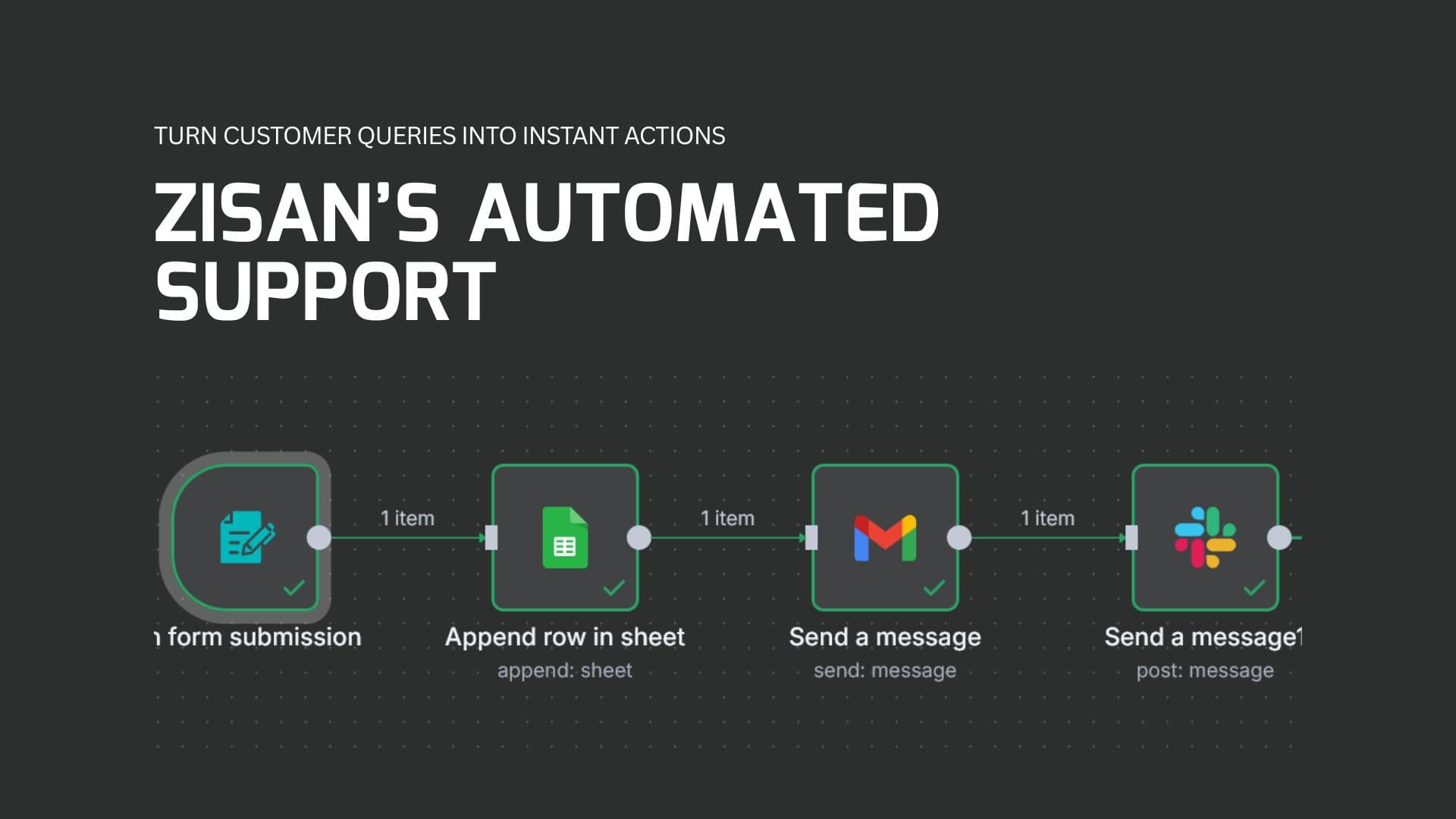
n8n Workflow | Automated Customer Support System
Automated Customer Support System is an intelligent workflow built with n8n that streamlines how customer queries are captured, acknowledged, and routed to the right team. This project demonstrates how automation reduces manual effort, improves response times, and ensures no customer request is overlooked.
Problem
The company needed a faster and more reliable way to handle customer support requests. Manually tracking form submissions, replying to users, and sharing data with the support team was slow, error-prone, and inconsistent.
Solution
I designed and implemented an end-to-end automation with four key steps:
- Form Trigger: Collects user input (Name, Email, Phone, Product Type, Message).
- Google Sheets Integration: Automatically stores each entry for reporting and record-keeping.
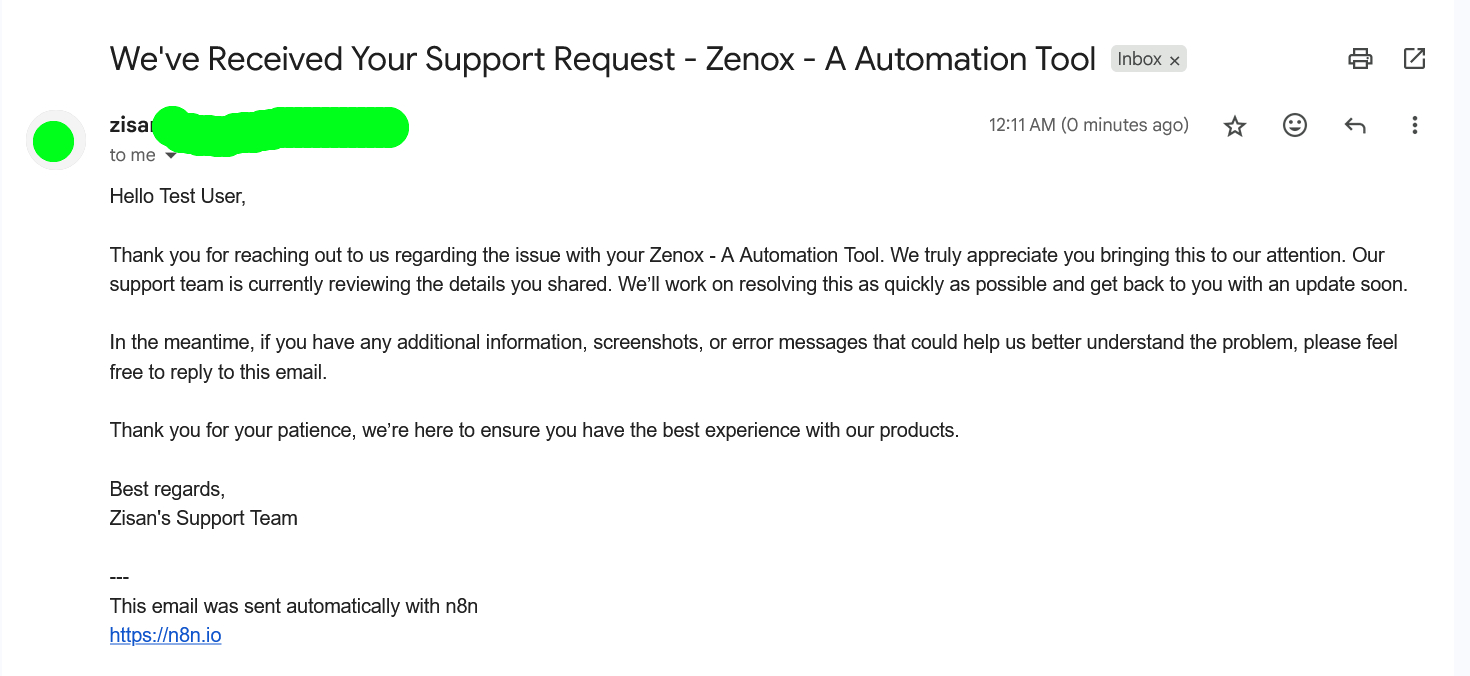
- Automated Gmail Response: Sends instant acknowledgment emails to customers, confirming receipt.
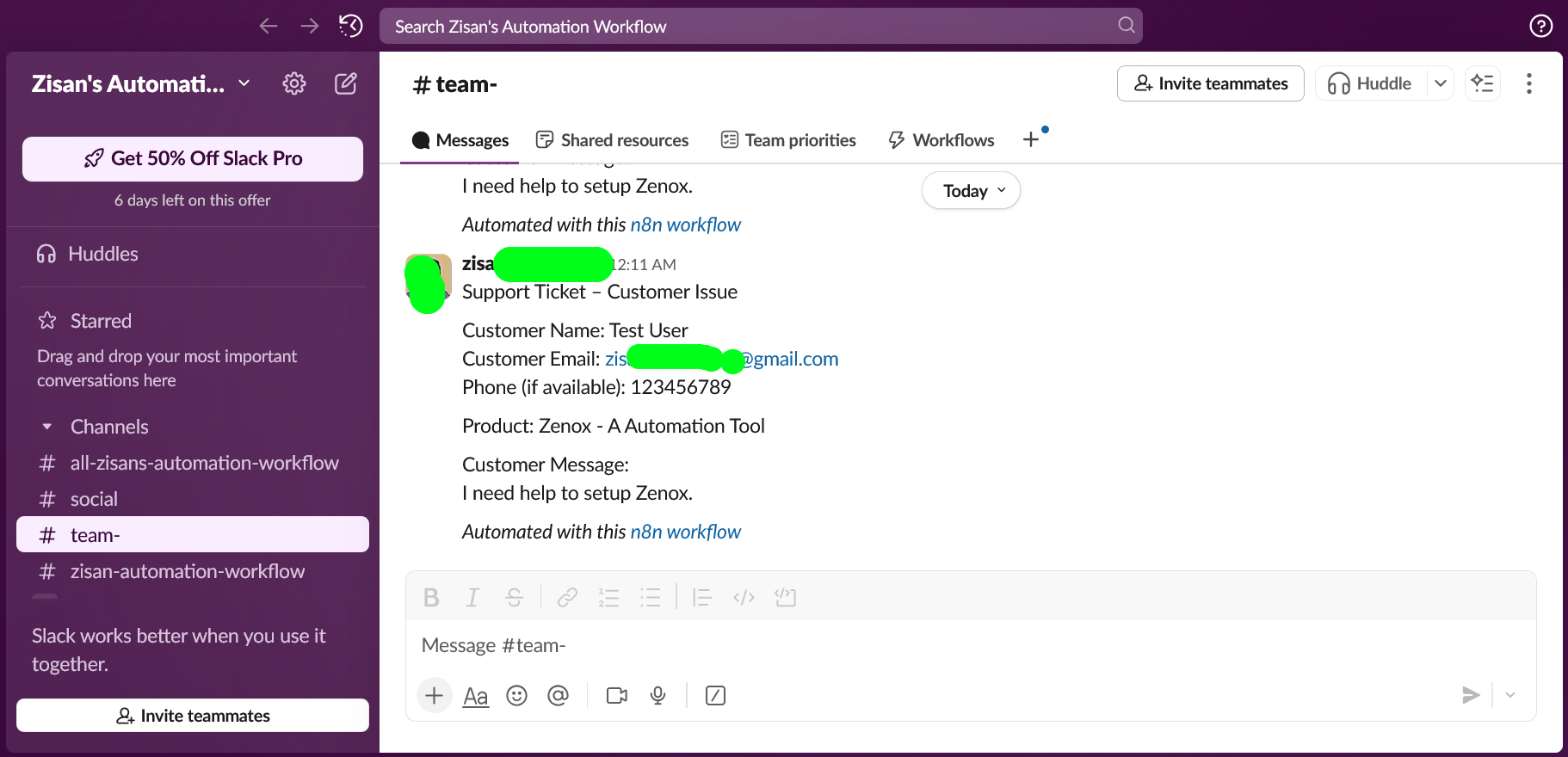
- Slack Notifications: Posts new support requests directly into the #customer-support channel, ensuring the team can act immediately.
Workflow Steps
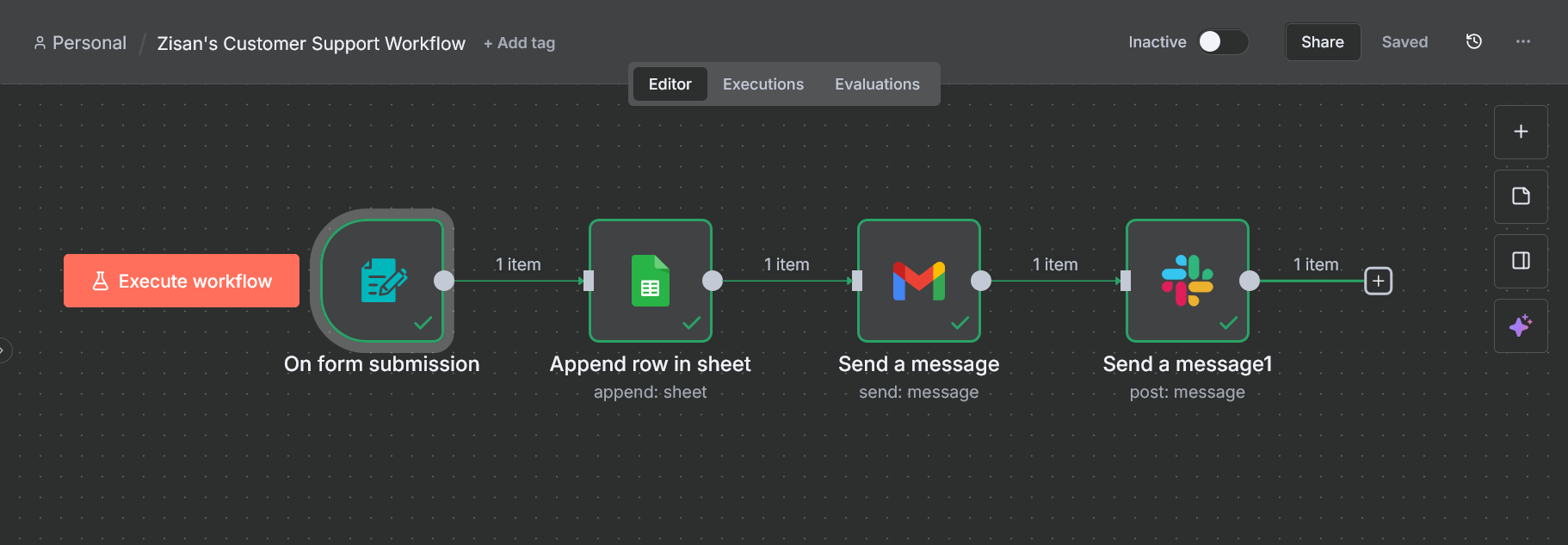
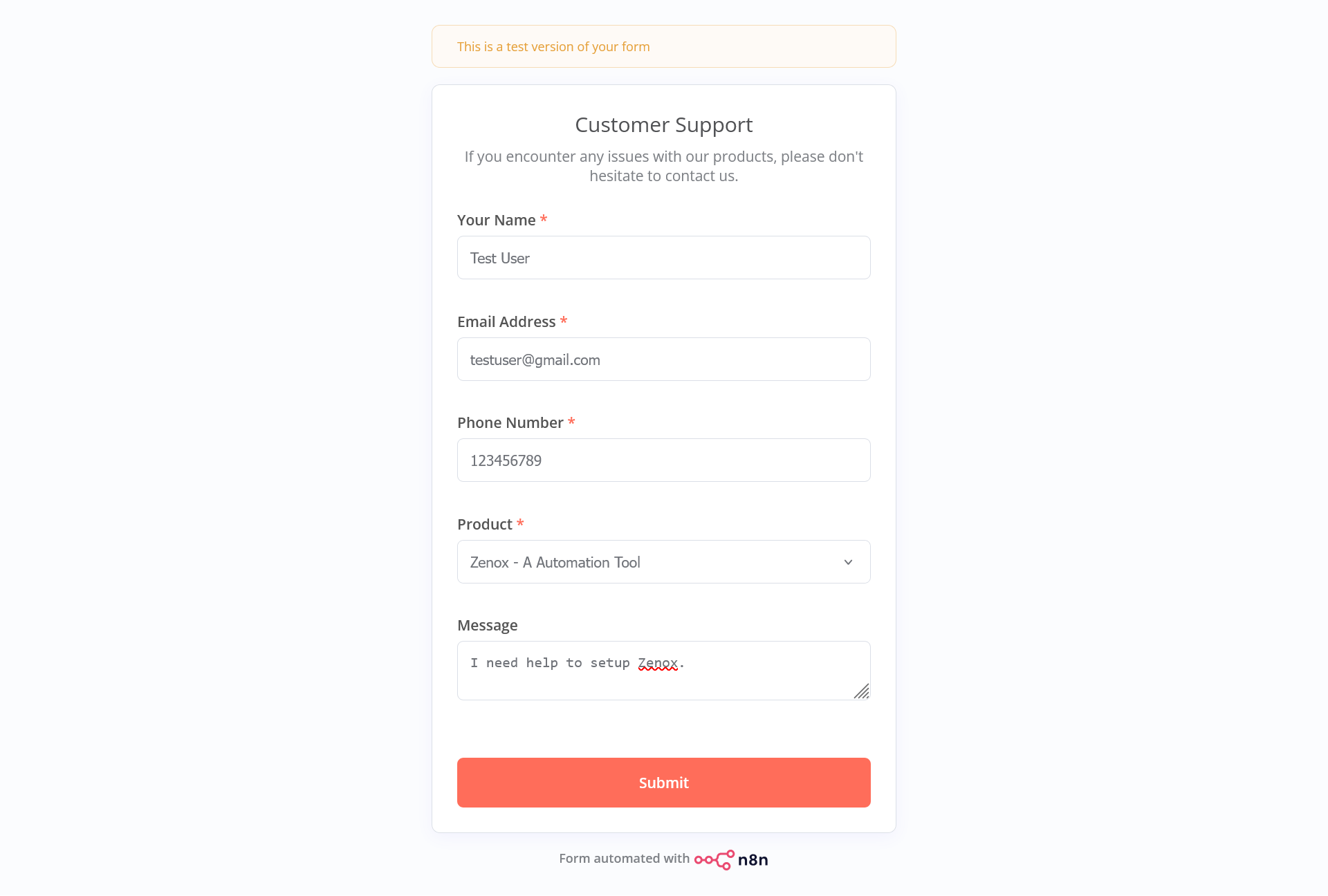
Step 1: Form Trigger
Users submit their details (fullname, email, phone number, product type, and message) through the form. This data is the starting point of the automation.
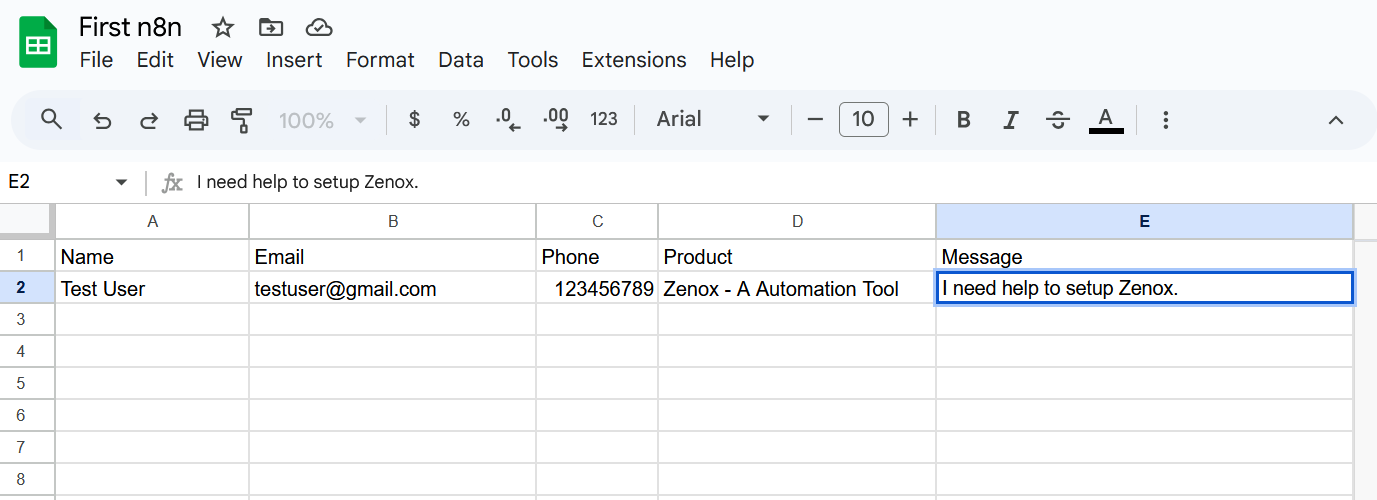
Step 2: Google Sheets Integration
All form submissions are automatically stored in a Google Sheet for record-keeping and analysis.
Step 3: Gmail Acknowledgement
The user instantly receives a personalized acknowledgment email confirming their issue has been received.
Step 4: Slack Notification
A message is sent to the customer support Slack channel, giving the support team immediate access to the user's query.
Impact
- Reduced manual data entry and eliminated errors.
- Customers receive immediate responses, boosting trust and satisfaction.
- Support team receives real-time notifications, improving response times.
- Centralized record of all customer issues in Google Sheets for analysis.
Complexity: Slack Integration
This part of the workflow was the most challenging, because Slack requires more advanced setup compared to Sheets or Gmail.
- Problem: Slack rejected initial requests due to missing OAuth authentication and permissions.
-
Approach: I created a custom Slack app, added the required OAuth scopes (
chat:write,channels:join,users:read), and went through the OAuth flow to generate a secure token. - Channel Access: The bot could not post to the private support channel until I manually invited it, which was a key debugging step.
- Testing & Debugging: I configured the Slack node in n8n, ran test submissions, and fixed authentication issues until messages appeared in Slack successfully.
- Outcome: Now, every time a customer submits the support form, a structured message is sent to Slack in real-time with the customer's details, allowing the team to take action instantly.
Learning: This process helped me strengthen my knowledge of OAuth 2.0 authentication, Slack's permission model, and real-world debugging of third-party API integrations.
Deliverables
- Fully functional n8n workflow (JSON).
- Video walkthrough showing the workflow in action. (Coming soon..)
- Documentation with setup instructions and integration resources.
Key Takeaways
This project showcases how I leverage automation tools like n8n to design business-ready solutions that save time, reduce costs, and improve customer experience. It also reflects my ability to troubleshoot and implement complex integrations.
Call to Action
If you're looking to automate repetitive processes in your business and improve team efficiency, I can help design and implement workflows tailored to your needs. You can book a consultation with me to discuss your requirements in detail. My LinkedIn profile is also available for more information about me.