n8n Workflow | Automated Lead Generation & Management
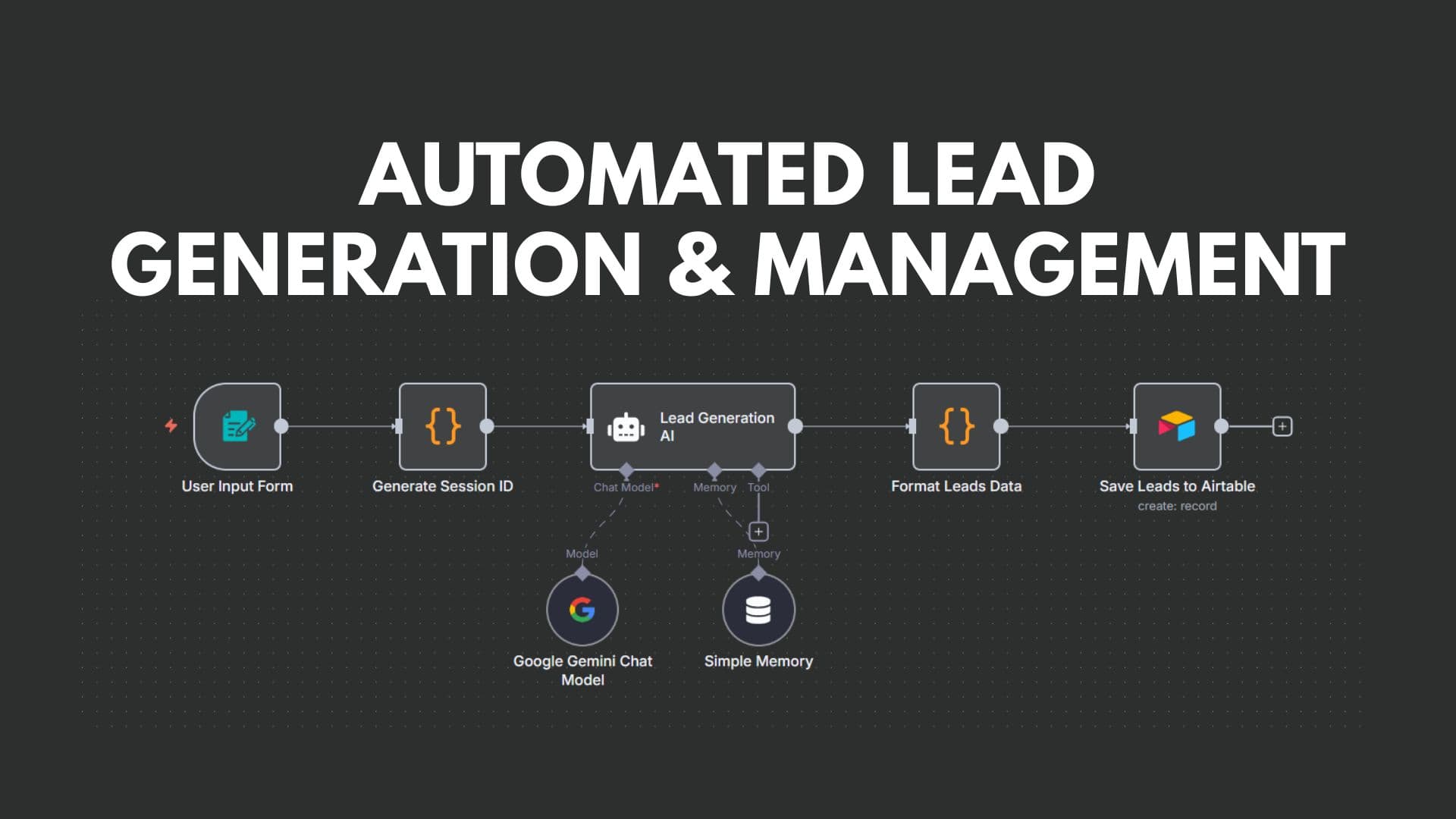
Automated Lead Generation & Management is a sophisticated workflow built with n8n that captures user input, generates unique session-based leads via AI, processes the data, and automatically stores them in Airtable. This project demonstrates how businesses can streamline lead generation, improve data accuracy, and accelerate sales follow-ups.
Problem
The client wanted a scalable and reliable way to collect leads, enrich them via AI, and store them in a structured format for follow-ups. Manually generating leads from user inputs and processing them was time-consuming, inconsistent, and prone to errors.
Solution
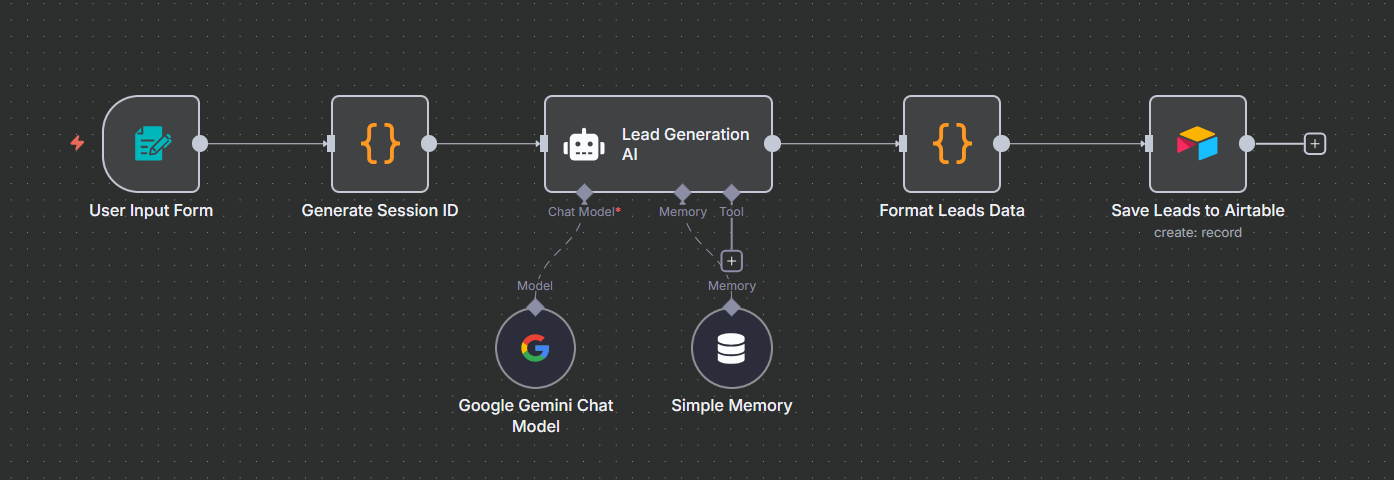
I designed an end-to-end automation workflow with the following key components:
- User Input Form: Captures user details and query information via a web form.
- Session Management: Generates a unique session ID for each submission to track and organize leads effectively.
- AI Lead Generation: Uses Google Gemini with a simple memory module to process user input and generate relevant leads automatically.
- Data Formatting: Cleans and manipulates AI output to match Airtable's required schema.
- Airtable Integration: Appends the structured leads directly to Airtable for easy access, reporting, and further automation.
Workflow Steps
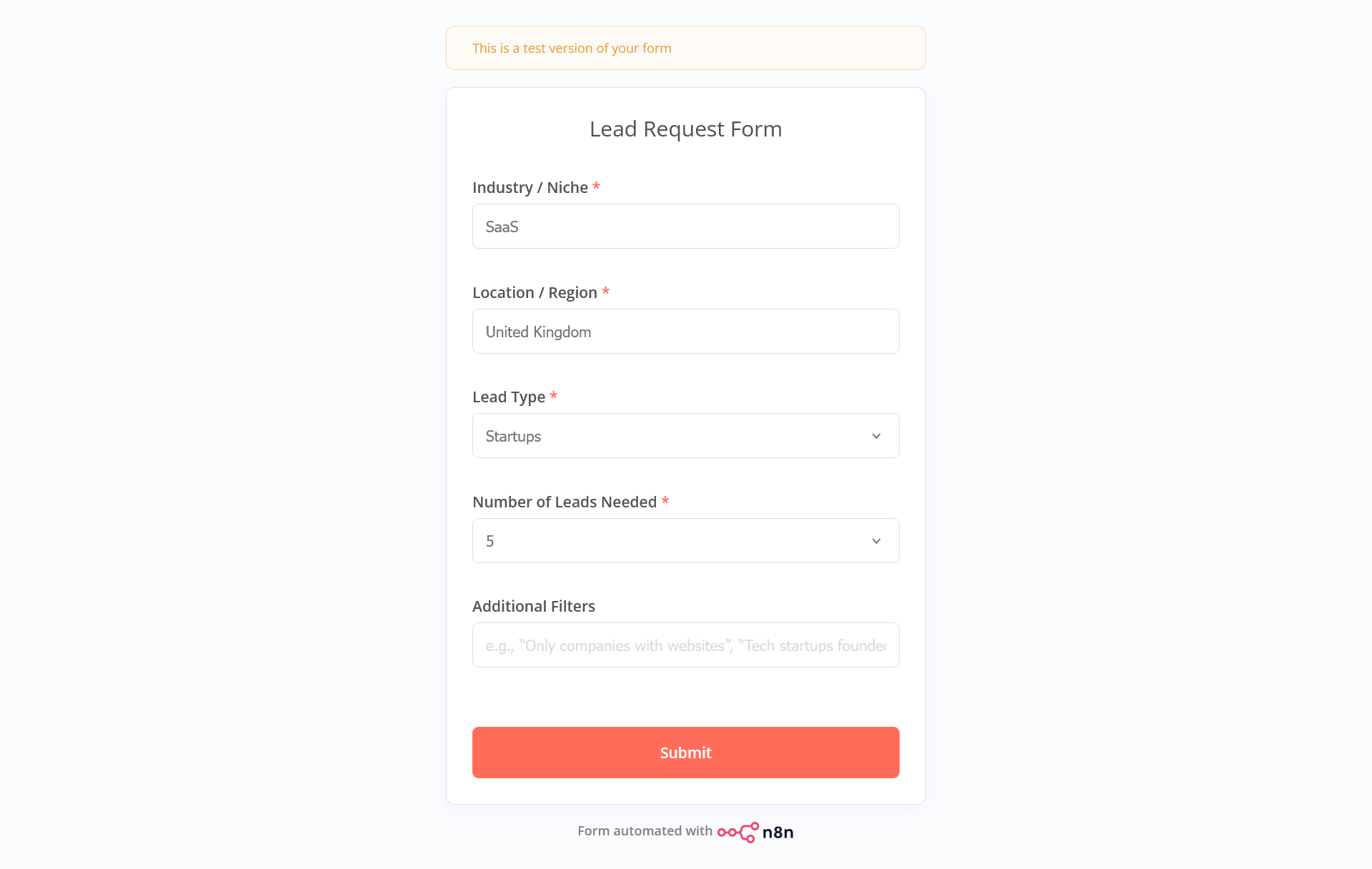
Step 1: User Input Form
The workflow begins when a user submits their details via a web form. This serves as the trigger for the entire automation process.
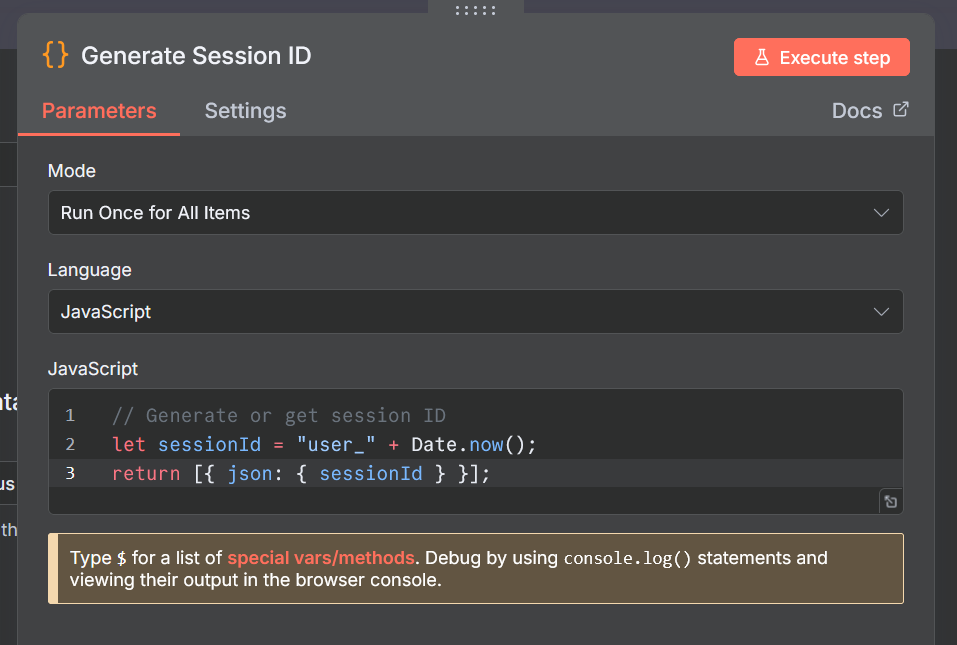
Step 2: Session ID Generation
A custom code node checks if a session ID exists for the user submission. If not, it generates a unique session ID, ensuring consistent tracking of each lead.
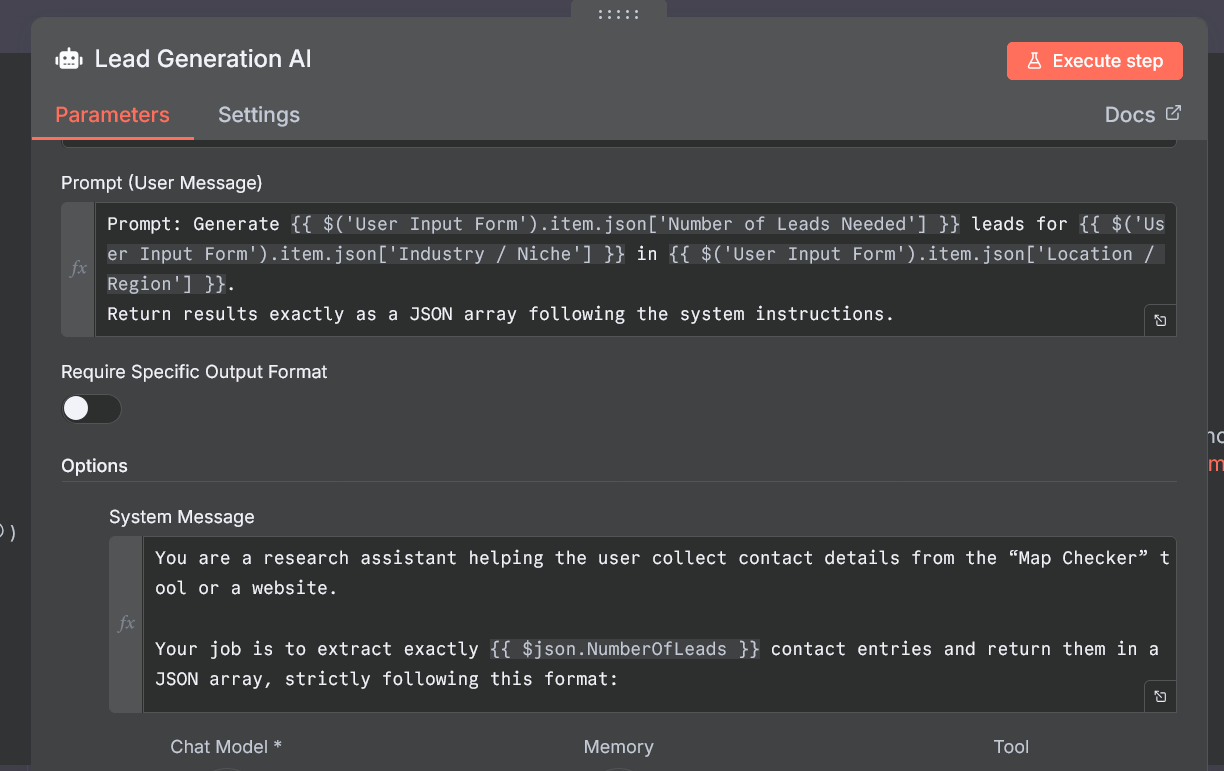
Step 3: AI Lead Generation
The AI agent analyzes the user input and generates potential leads. Using Google Gemini and simple memory, it produces contextually relevant and structured lead information.
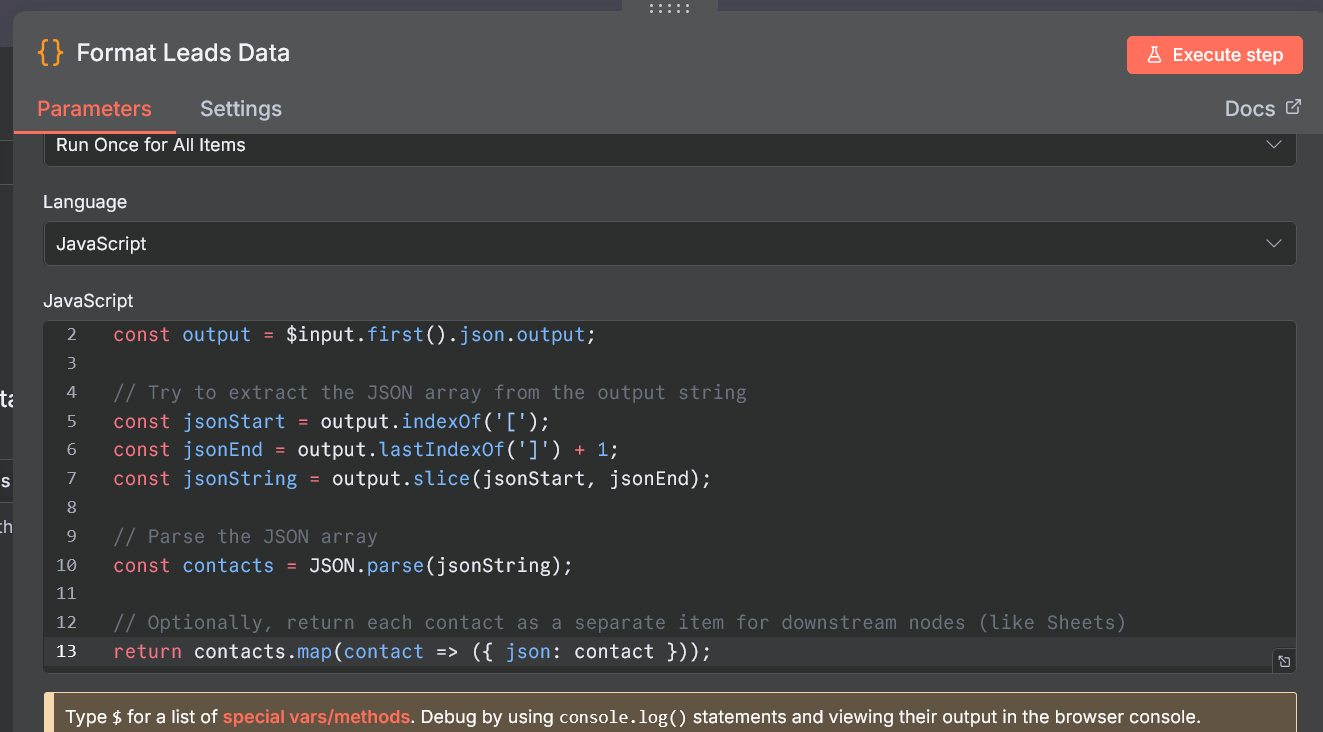
Step 4: Data Formatting & Cleaning
A code node processes the AI output to match Airtable's schema. This includes filtering unnecessary fields, standardizing names, and ensuring data types are compatible.
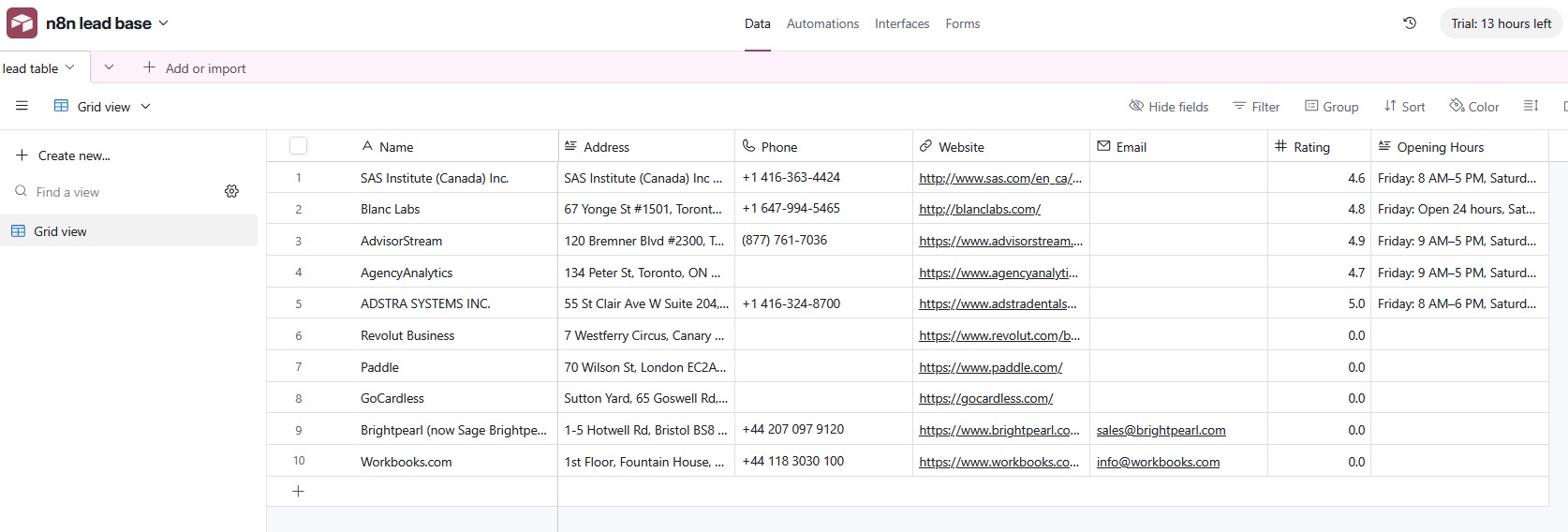
Step 5: Save Leads to Airtable
The final node appends all formatted leads to Airtable. Each JSON object from the previous node becomes a separate row, making lead tracking and analysis effortless.
Impact
- Eliminated manual lead generation, reducing human error and time spent.
- Ensured leads are consistently formatted and ready for sales follow-up.
- Accelerated the lead pipeline with AI-generated, high-quality leads.
- Centralized lead storage in Airtable, enabling easy reporting and integrations with CRM tools.
Complexity: AI & Data Formatting
The most challenging part was combining AI output with Airtable's strict schema.
- Problem: AI output was inconsistent, sometimes including unnecessary fields or missing required ones.
- Approach: Used a custom code node to parse, clean, and restructure each lead into a consistent format before sending to Airtable.
- Outcome: Now, each submission generates a complete, structured lead in Airtable, ready for immediate use.
Learning: This project improved my expertise in AI integration, n8n workflows, JSON data manipulation, and real-time API interactions.
Deliverables
- Fully functional n8n workflow (JSON).
- Video walkthrough demonstrating lead generation and Airtable integration. (Coming soon)
- Documentation with setup instructions and integration details.
Key Takeaways
This workflow highlights my ability to integrate AI, custom logic, and Airtable in a single automation pipeline. It shows how businesses can save time, reduce errors, and get actionable insights from user inputs in real-time.
Call to Action
If you want to automate lead generation and management while improving data quality and sales efficiency, I can design a tailored workflow for your business. You can book a consultation to discuss your needs, or check my LinkedIn for more information.